

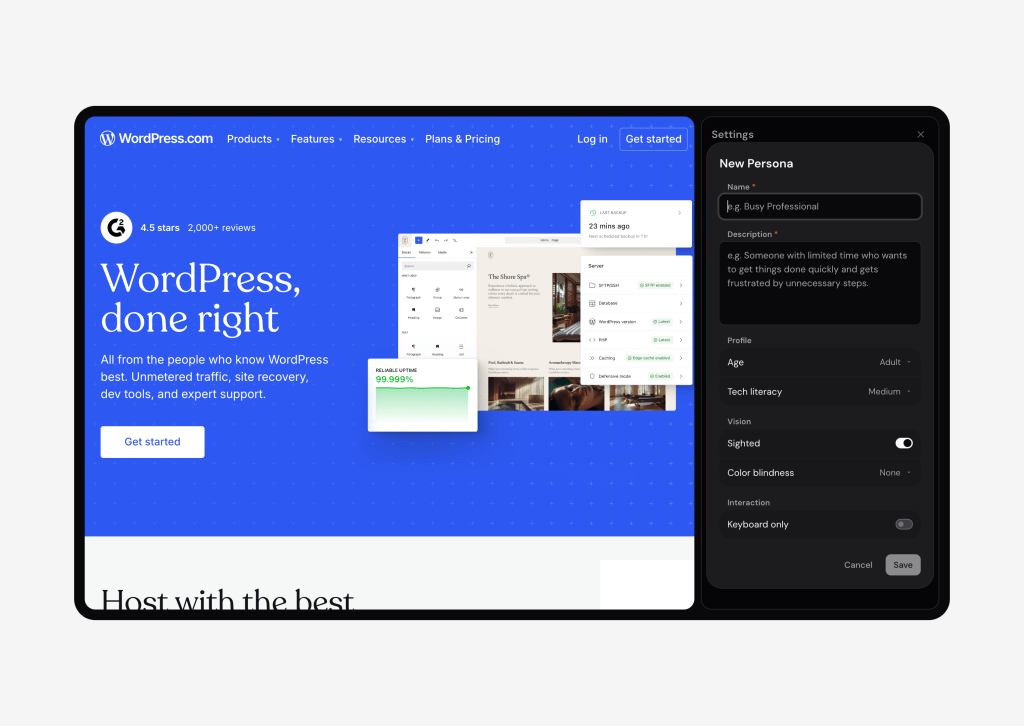
Roast Me is a Chrome extension that runs simulated user tests on any site. The agent it puts in your browser uses the page the way a person would, hovering, clicking, typing and working through a flow you’ve given it. It’s an internal tool for now, but the ideas behind it travel.
What It Does
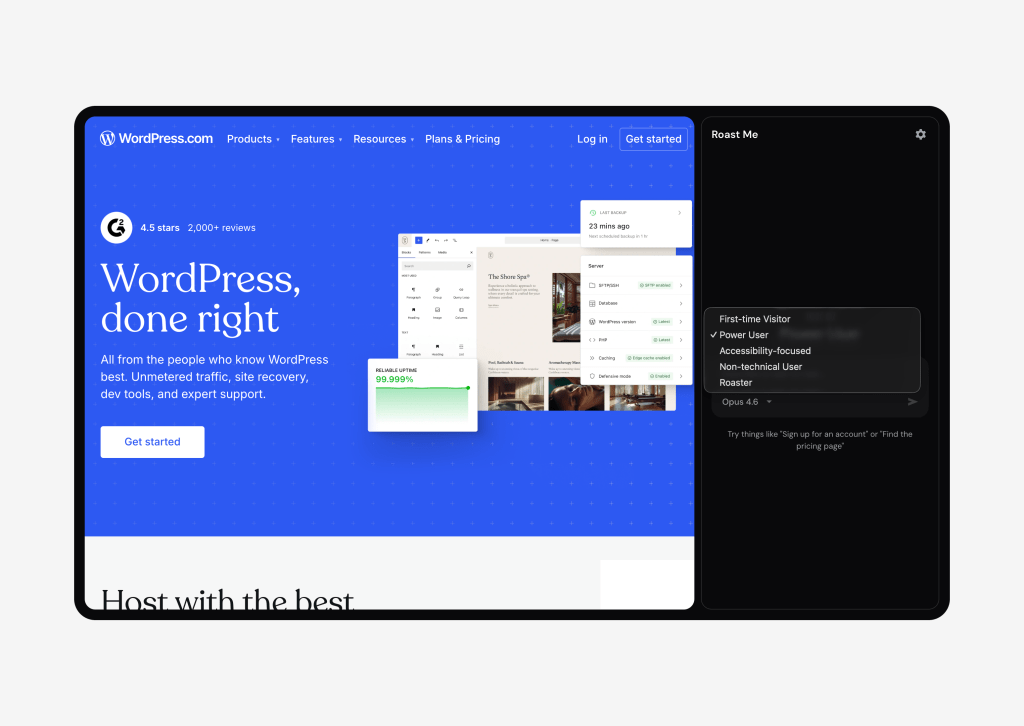
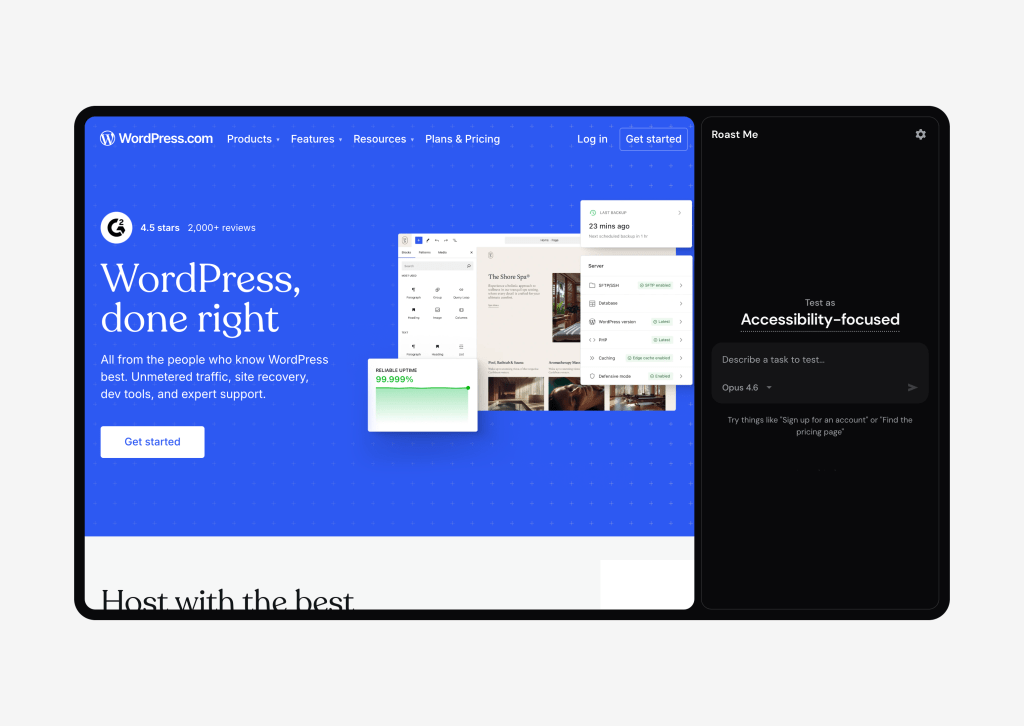
You pick a persona, either a pre-defined one or one you configure yourself, set a task, and watch the agent click through your interface trying to complete it. Persona traits include things like age, tech literacy, color blindness and other visual impairments, and they directly affect what the agent sees and which actions it can use. A keyboard-only persona has click and hover removed from its toolkit and has to get around with Tab, Enter and arrow keys.
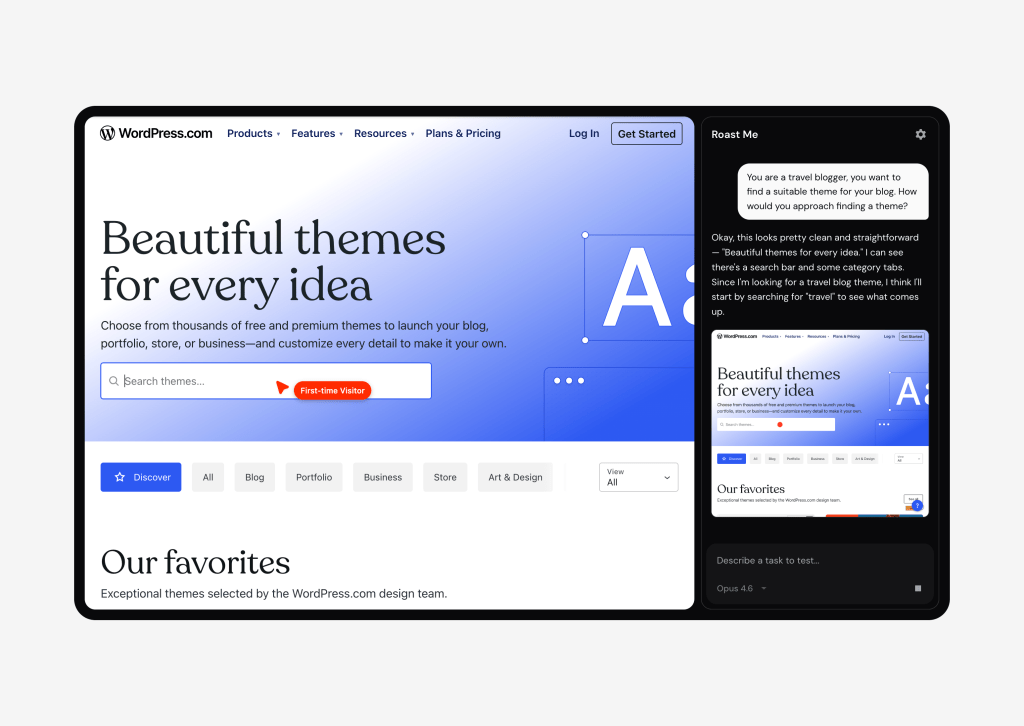
As the test runs, screenshots and the agent’s running commentary print to a side chat, so you have a full record of what it tried and how it “felt” about it. When the test ends, you can interview the agent about its experience, ask it to perform follow-up tasks, or export the session.
How It Works
Roast Me drives the page through the Chrome DevTools Protocol. When a test starts, the extension attaches a debugger to the active tab so it can take screenshots, read the DOM and accessibility tree, and dispatch input events. When the test ends, the debugger detaches and the tab is yours again.
On every step, the agent receives a screenshot with the interactive elements outlined and numbered, plus a structured list of those same elements from the accessibility tree. It picks from a vocabulary of around twenty actions like click, type, scroll, hover, drag, keypress, select_option and upload_file, and can chain up to four of them in a single step. The action list is filtered to match the persona.
There are actually two agents. The first runs the test, returning JSON with reasoning, the actions to take, a private observation field for its own notes, and a sentiment. The second takes over after the test, playing the same persona in interview mode with the full session transcript loaded into its system prompt, so it can answer questions in character. If a follow-up question needs another walk through the site, it kicks off a fresh test.
What I Learned
The first version got stuck constantly. The agent would click the same disabled button five times in a row, or scroll past the thing it was looking for and never come back. The fix was embarrassingly simple: a small loop detector that hashes recent actions and the page state, and nudges the agent when it’s repeating itself. Watching the next version pause and rethink its approach did more for the quality of these tests than any prompt tuning I tried.
The bigger insight wasn’t about the model, though. It was about what you take away from a persona, not what you add. I’d started out trying to build rich personas with backstories and motivations, but the things that actually changed the outcome of a test were the constraints. Take away the mouse and the agent has to navigate by keyboard, and the site has to be ready for that. Take away color vision and it suddenly can’t tell which button is the destructive one.
The interesting personas weren’t the ones with the most traits. They were the ones with the most things removed.
The honest caveat is that simulated tests are not a substitute for the real thing. The agent “sees” the web through a screenshot and an element list, not through eyes, attention and prior knowledge. It’s good at surfacing high-level UX issues, accessibility problems from a first-hand perspective, and a fresh-eyes critique of a design. But it’s incapable of reproducing the gut-level confusion an actual human visitor feels in the first three seconds on your site.
What I’d Tell Another Team
- Personas are most interesting when you subtract. Removing the mouse, color vision or tech literacy from an agent reveals things that adding backstories never will. The friction is the data.
- Build a loop detector. Any agent that runs more than a handful of steps will get stuck on something. Nudging it to try a different approach works better than letting it grind through your context window.
- Use these tests where real testing is impractical. Quick critique passes, accessibility sweeps, early-stage feedback. Keep real user testing for anything that matters.
Over to You
The thing I keep coming back to is that the most revealing tests came from what I took away from the persona, not what I added. The mouse, color vision, tech literacy, the assumption that someone has used the web before: every one of those constraints pulled something honest out of the site I was pointing the agent at. Where I want to push next is the accessibility end of that spectrum, more realistic motor-control simulation, screen reader semantics, the kinds of impairments that don’t fit into a tidy checkbox in a persona builder.
So I’m curious where you’d push. If you were pointing an agent like this at your own website, what’s the constraint you’d most want to see it run into? Drop a comment. The ones I haven’t thought of yet are the ones I most want to build next.


Comments
Super interesting, I can see how those simulations can help uncover problems in between user testing and early in the process and be helpful when feedback is hard to obtain. Any way to get beta of this tool?
can you give the link to download the chrome extension
It definitely closes the gap between rounds of iteration, where the alternative is recruiting, scheduling and facilitating live tests. Though I stand by the idea that simulated tests aren’t a substitute for the real thing.
On your question, Roast Me is internal only for now so there’s no beta yet, but I’ll make some noise if that changes.