


Imagine building WordPress sites locally with seamless setup and lightning-fast performance. That’s the vision behind Studio, a new local development app from the team at WordPress.com. This is the story of how we took Studio from a fragile idea to a powerful tool embraced by thousands of developers worldwide.
The Beginning
Studio started as an experiment. The WordPress Playground project was picking up momentum and some folks at WordPress.com got curious if it could be used as the foundation for a faster, simpler local development environment.
WordPress Playground lets you quickly set up a WordPress site directly in your browser, no hosting or server required. It’s great for trying out new ideas, testing plugins, or building block themes. Traditionally, local development required a web server like Apache or nginx to handle requests, PHP to generate dynamic pages, and a MySQL server to store and retrieve the site’s data. This could slow down your machine and complicate setup. With Playground, WordPress runs entirely in the browser using WebAssembly, making the process faster, simpler, and more resource-efficient. Pretty neat.
A small engineering team started tinkering; their goal was to prototype a lightweight and super-fast local development environment built around Playground. A desktop app that would allow developers and theme designers to quickly spin-up and manage multiple sites on their local machine without the overhead of existing development tools. They succeeded.

Refining the Concept
With the technical foundations in place, it was time to start planning out the app’s UI and overall user experience. I like to start most projects by turning off the screen and grabbing a sketchbook. Going analog helps me focus and avoid the trap of getting into the details too early. A collection of sketch wireframes is enough to start a conversation with the team about key flows, layout, and hierarchy.
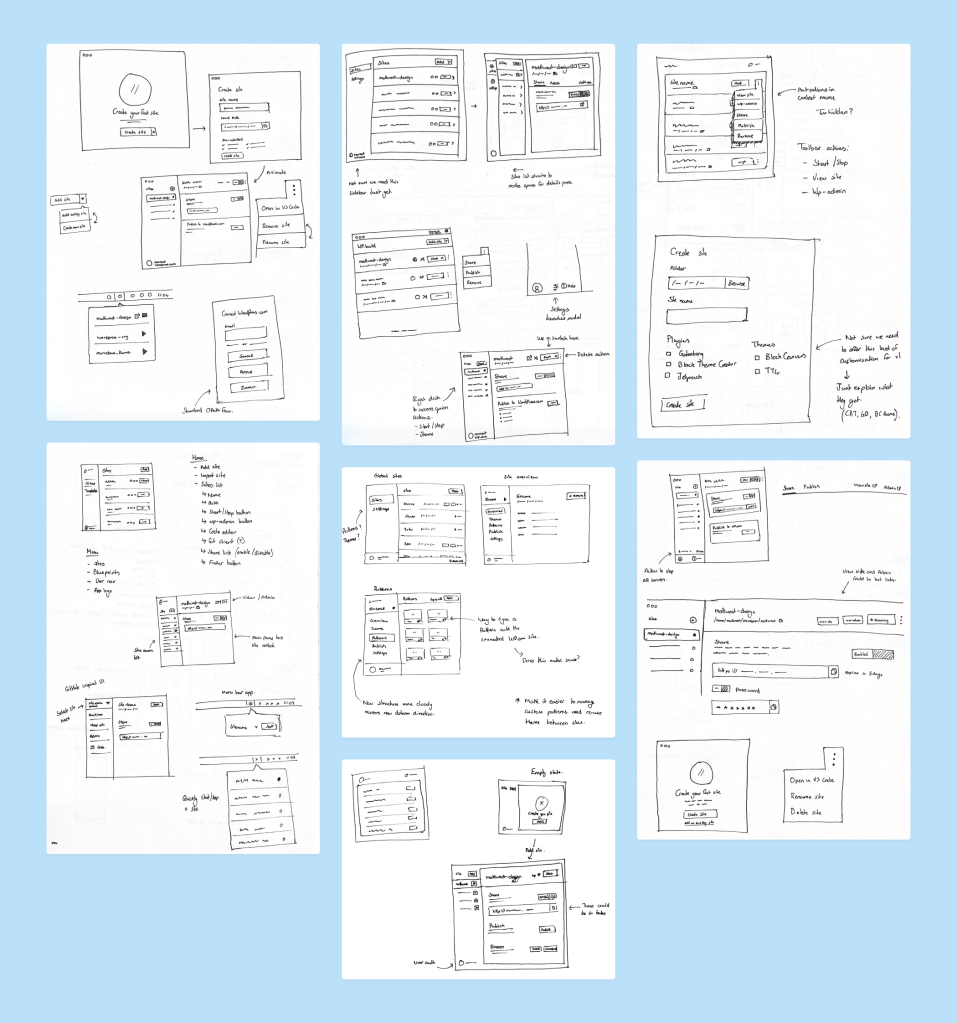
These wireframes were developed into high-fidelity mockups to test out a few different concepts. The app would be built with web technologies to make it easier to support multiple platforms, but we wanted it to feel like a native app. To achieve that we used system-level UI components for things like notifications, menus, and dialogs. This came with the added benefit that those components are already optimized for accessibility—the team spent a lot of time ensuring that the rest of the app followed accessibility standards too. Designing the macOS and Windows versions simultaneously allowed us to resolve any compatibility issues early and provide a consistent experience across platforms.

Automattic is a distributed company. With folks all over the world we rely heavily on asynchronous communication for breaking timezone barriers. Each design iteration was shared on the team P2—a kind of internal blog—where anyone throughout the company could chime in and share feedback. This openness and transparency is one of the key contributors to Automattic’s success.
Feedback, Feedback, Feedback
Automattic has a strong culture of dog-fooding our products. We were fortunate to have no shortage of internal testers to put Studio through its paces and provide feedback.
There’s no substitute for getting products into the hands of real users though. We put up a simple landing page and started building a list of folks who would be interested in getting early access to Studio. In return we asked for 30 minutes of their time to capture their first experience of using Studio.
Dovetail became our research hub. We uploaded recordings of all the test sessions and tagged each piece of feedback to help identify trends.

Keep it Simple
With all that feedback we had an ever-increasing list of improvements and feature requests for Studio. There’s a lot we could do, but we knew that we needed to remain focussed on our mission to create the fastest local development environment for WordPress developers. That required keeping the app simple and the scope small. Placing many of the ideas in our back pocket for another day, we pressed on with fixing bugs and getting Studio ready for a public launch.

The Future!
Studio launched to the public in April 2024 and has built a strong following of both Mac and Windows users (a Linux version is in the works). In true Automattic-style, we open sourced the project so anyone can contribute to creating a faster, simpler way to build WordPress sites locally.
Studio remains a focus for the WordPress.com team. Keep an eye out for more improvements that simplify building and managing your sites locally, as well as a tighter integration with sites hosted on WordPress.com.
Do you design WordPress sites? Try out Studio and let us know what you think!
Like what you see? Then maybe you’d love working here. We’re looking for great designers to work on products within the WordPress ecosystem and beyond. We’re a fully distributed company with a huge footprint, helping people express themselves and earn a living—and our mission is more vital than ever. Join our team of diverse, global perspectives building a better, more open web.


 Automattic Design